
Phone and computer
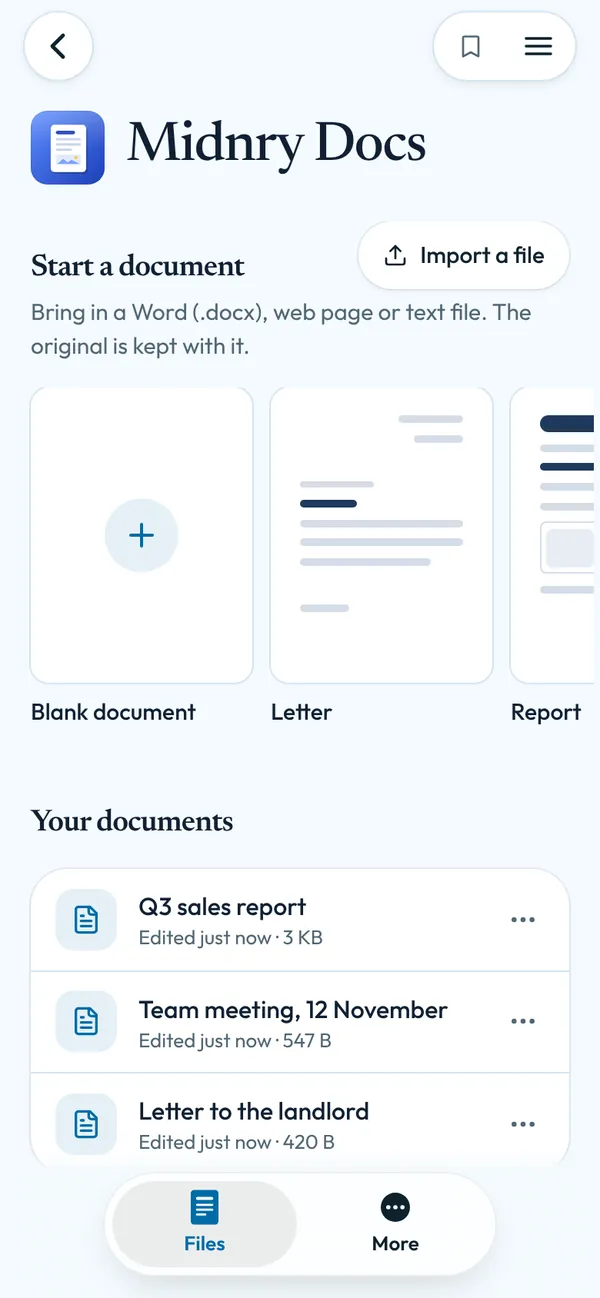
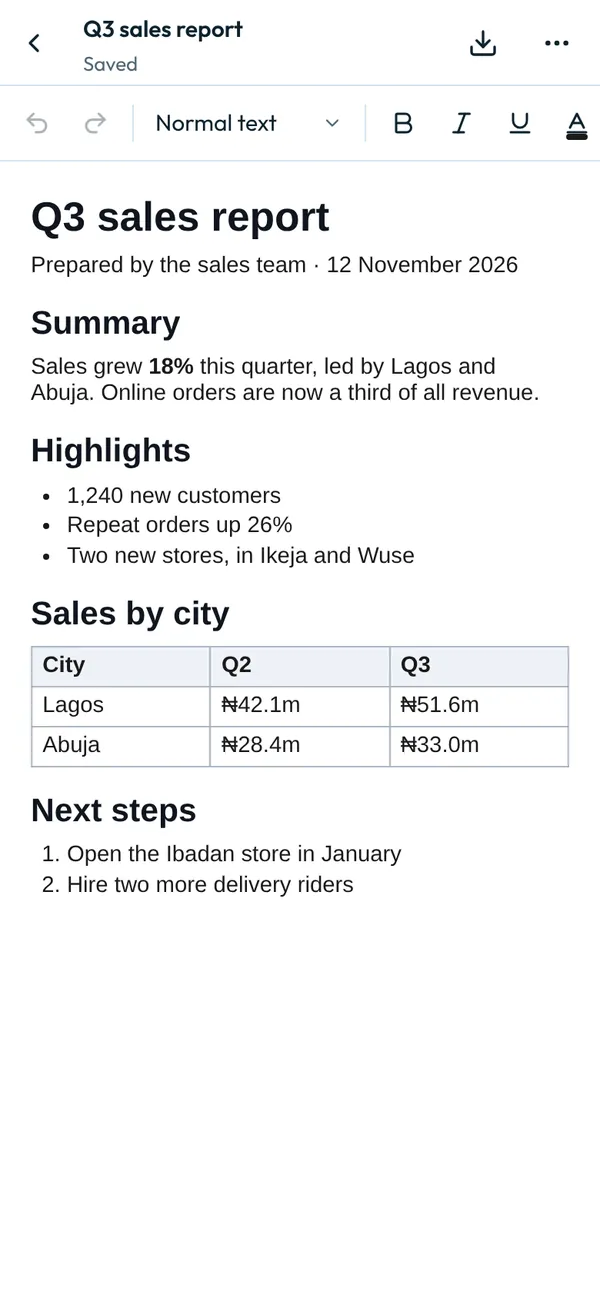
Write documents with headings, tables, pictures and page layout, and open or save Word files.
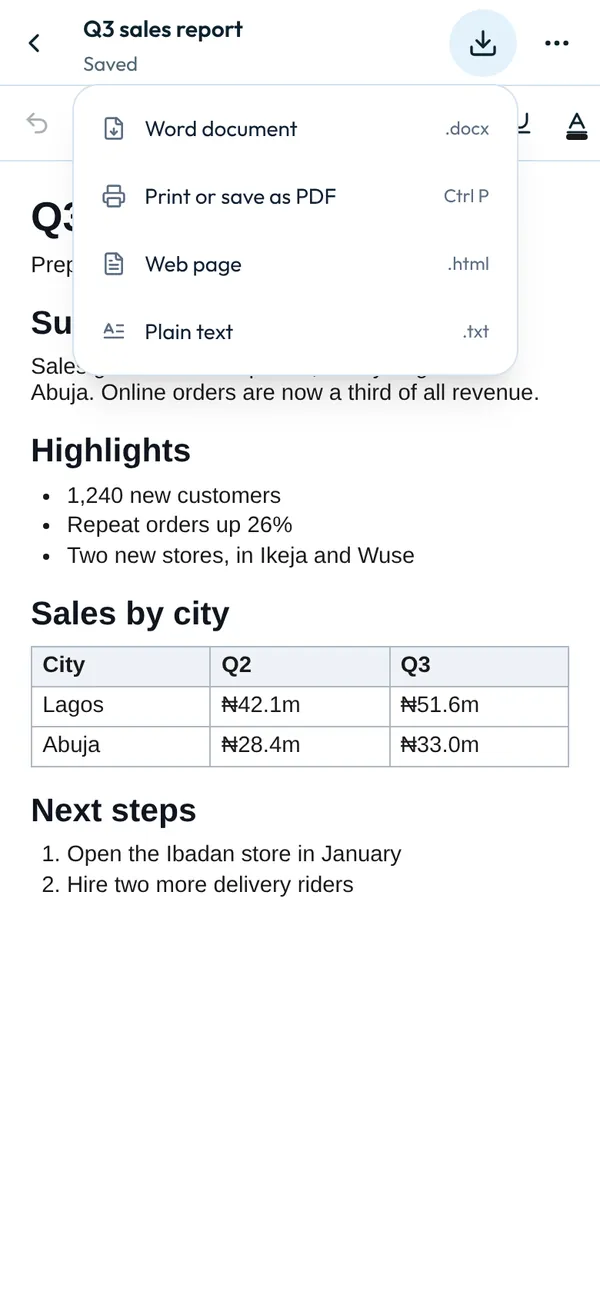
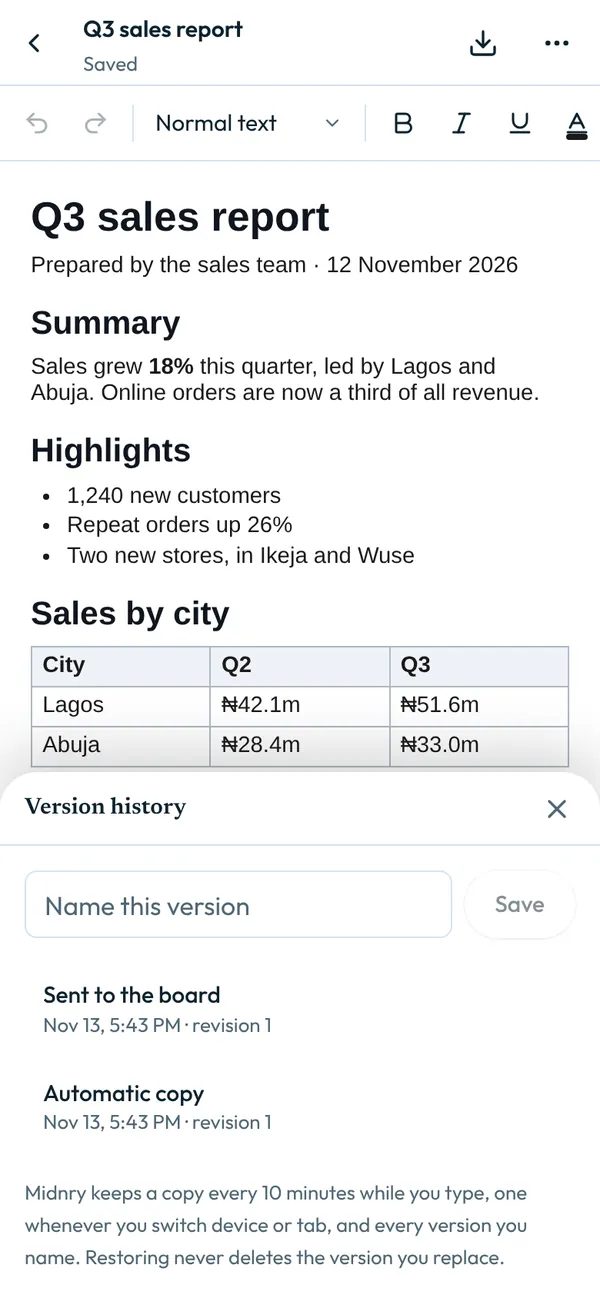
Headings, fonts, sizes, colours, highlights, alignment, lists, indents and line spacing. Tables with merged and shaded cells, pictures you can resize, links and page breaks. Page size, margins, a header, a footer and page numbers. Find and replace, word count, keyboard shortcuts, undo and redo. Saved to your account as you type, with version history and a Trash you can restore from. Download as Word (.docx), a web page or plain text, or print and save as PDF. Import Word (.docx), web page and text files: you see what was brought in first, and the original is kept.
Nothing you type is kept: close it and it’s gone. Midnry doesn’t sell your information or show ads.
What’s New
New lookNovember 2026
- Its own icon and colours.
- A tab bar at the bottom, like an app on your phone, with How it works under More.
- A back button and the menu at the top, so the app has the whole screen.
App Privacy
Midnry says how Midnry Docs handles your data. More in the privacy policy.
Data Linked to You
- Contact info: your email address, for your account
Data Not Used to Track You
Not used to track you across other apps or websites. Midnry doesn’t sell your information or show ads.
Accessibility
- Dark mode
- Screen reader labels
- Reduced motion
- Large tap targets
Information
- Seller
- Midnry
- Category
- Productivity
- Size
- Nothing to install
- Compatibility
- Any modern browser, on a phone or a computer.
- Languages
- English
- Age rating
- 13+
- Price
- Free with a Midnry account
- Copyright
- © 2026 Midnry
More by Midnry
- View
Invoice
Invoices, quotes and proposals for client work: numbered, searchable, ready to print.
- View
Apply
Paste a job advert, see what your resume covers and what it’s missing, then apply on LinkedIn.
- View
PDF Studio
Merge, split, sign, compress, fill forms, make scans searchable and more. Your files stay on your device.
- View
Scratch
A quick notepad for lists and ideas.